How to list a lot in five minutes
Written by the ZipToSale team · Published October 20, 2026 · Last updated November 4, 2026
A listing on ZipToSale is the whole lot: a box, a pallet or a truckload, sold as one unit at one price. There is no catalog to maintain. This guide goes through the listing editor one section at a time. With your photos and numbers ready, it takes about five minutes.
Before you start, have these to hand:
- An approved seller account (how to create one).
- Photos of the lot (JPEG, PNG or WebP, up to 20).
- Either a manifest spreadsheet or your estimated unit count and retail value.
- Your lot price, the shipping cost you'll charge, and the lot's weight.
The editor saves a draft as you go, so you can leave and come back.
1. Start a listing
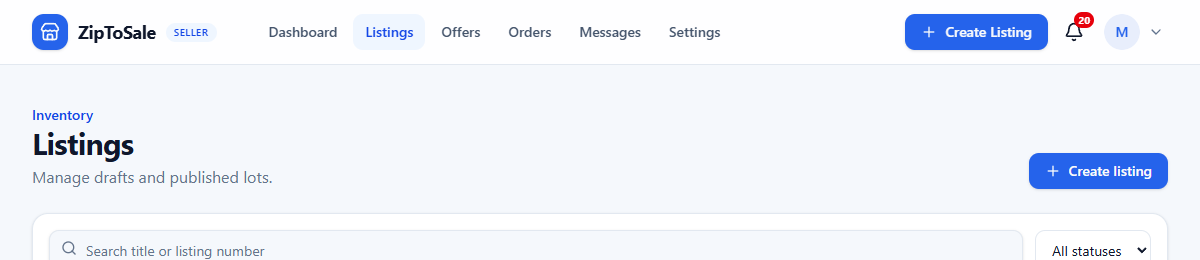
In the seller area, open Listings and click Create listing.
2. Basic details
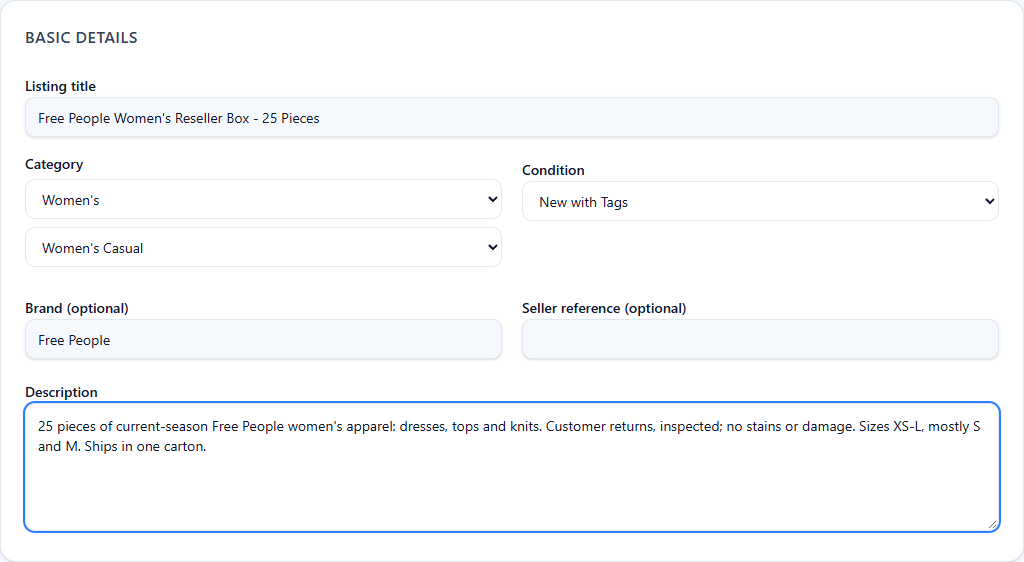
- Listing title. Say what it is, who it's for and how much: brand, product type, piece count. "Free People Women's Reseller Box - 25 Pieces" tells a buyer more than "Clothing lot".
- Category. Pick the top-level category, then the subcategory. Buyers browse by it.
- Condition. One grade for the whole lot, from new with tags to customer returns.
- Brand and seller reference are optional. The reference is for your own records.
- Description. What's in it, what condition it's really in, the size or assortment mix, and anything a buyer should know before paying. Honest beats glossy: a buyer who gets what they expected comes back.
3. Photos
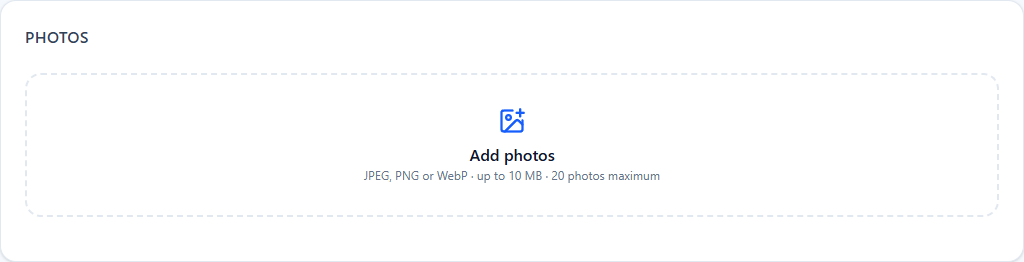
Drop in up to 20 photos. Show the lot as it will ship: the pallet or boxes, a few representative items, and any labels. Photos are resized in your browser before upload, so large originals are fine.
4. What's in the lot
Choose Estimated or Manifested. Buyers can filter on it, and the difference is simple: with an estimate you describe the lot in totals; with a manifest, you upload the item list and the totals are computed from it.
Estimated
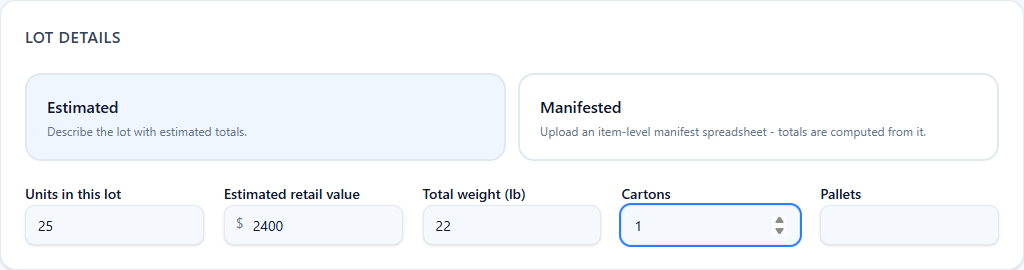
Enter the number of units, your estimated retail value, the total weight, and the carton and pallet counts. Weight is required because buyers see the shipping terms before they order.
Manifested
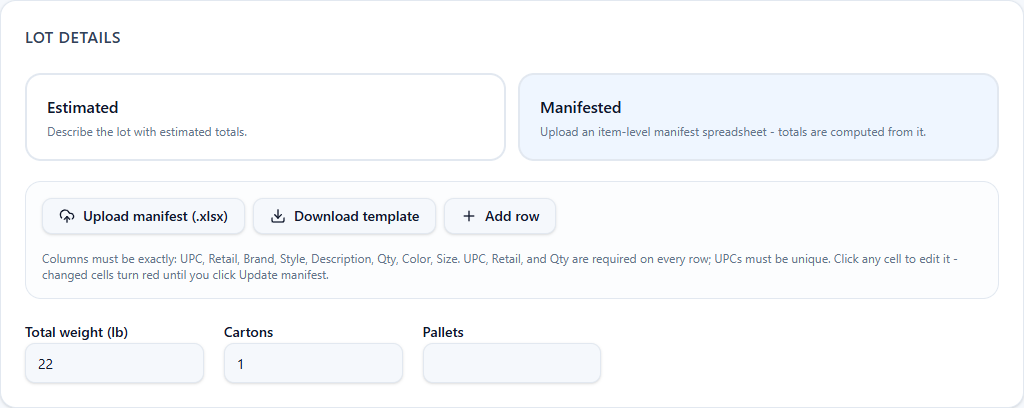
Click Download template for a spreadsheet with the right columns, fill it in, and Upload manifest. The columns must be exactly UPC, Retail, Brand, Style, Description, Qty, Color, Size and URL. UPC, Retail and Qty are required on every row, and UPCs must be unique. URL is optional: an https link to a picture of that item, on your own site or an image host. A signed-in buyer who clicks the UPC sees the picture; visitors are asked to sign in first. You can also add rows by hand and edit any cell in place; changed cells stay red until you click Update manifest.
Buyers can search the manifest on the listing page and download it as a CSV, and the lot's unit count and retail value come from it. The page also sums the manifest into a Brand/Size summary, units per brand per size, so an apparel buyer sees the size curve at a glance. How buyers read a manifest.
5. Price, quantity and offers
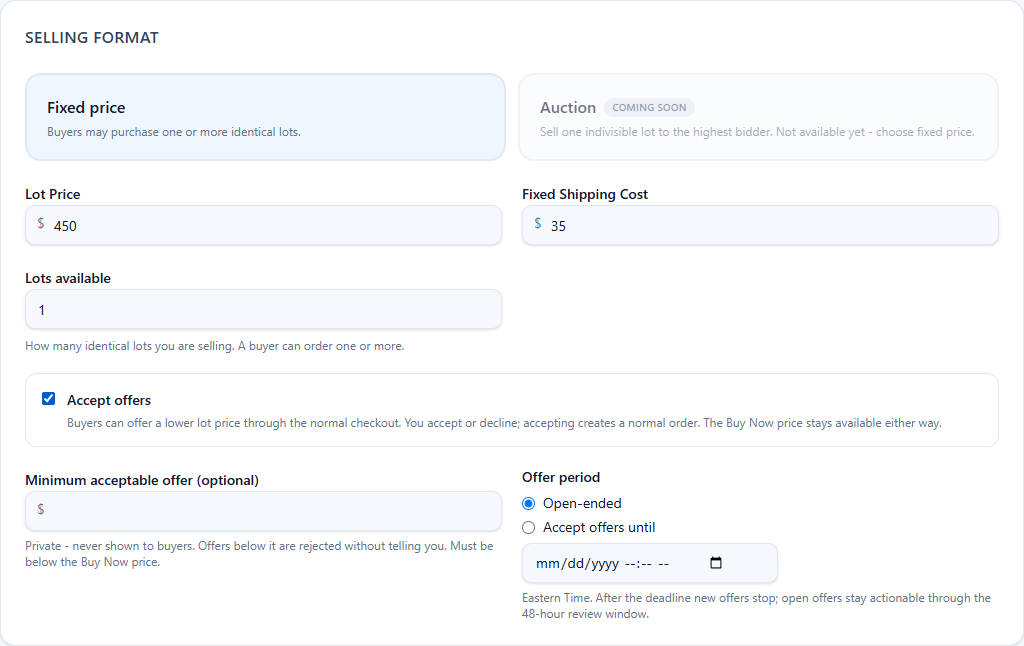
- Lot price. The Buy Now price for one lot.
- Fixed shipping cost. What you charge to ship one lot. Buyers see it before they order and it goes on the invoice as its own line.
- Lots available. How many identical lots you have. A buyer can order one or more.
- Accept offers (optional). Buyers can offer a lower lot price through the normal checkout; you accept, decline or counter, and the Buy Now price stays available either way. A minimum acceptable offer is private: offers below it are dropped without reaching you, and buyers never see the number. The offer period can be open-ended or end on a date you set.
6. Shipping or pickup
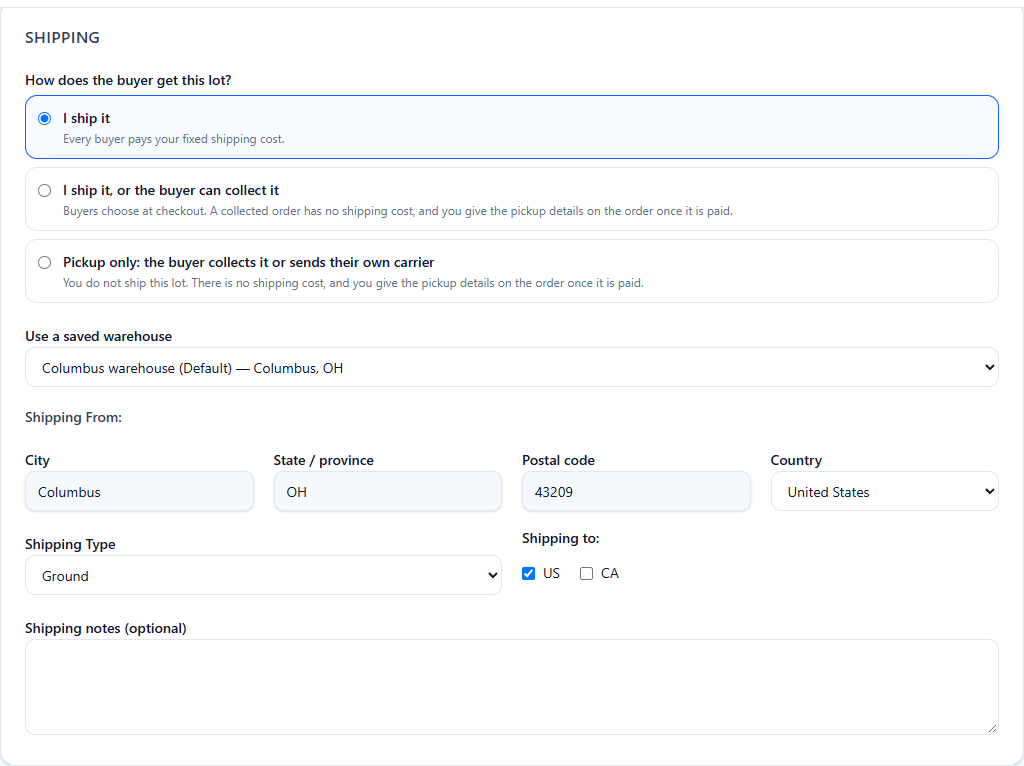
Start with How does the buyer get this lot?
- I ship it. Every buyer pays your fixed shipping cost.
- I ship it, or the buyer can collect it. Buyers choose at checkout. A collected order has no shipping cost.
- Pickup only. You do not ship the lot. The buyer collects it or sends their own carrier, which suits large orders where the buyer arranges the freight. There is no shipping cost to enter.
Pick a saved warehouse or type the address the lot ships or is collected from. For a lot you ship, choose Ground or Freight and tick where you ship to. The ship-from state is what buyers filter on and what their resale certificate is checked against for pickups. On any collected order you give the pickup details on the order once it is paid.
7. Payment methods and buyer requirements

Tick at least one of the payment methods you enabled during seller setup. The buyer's choice is recorded on the order, and the buyer pays you directly.
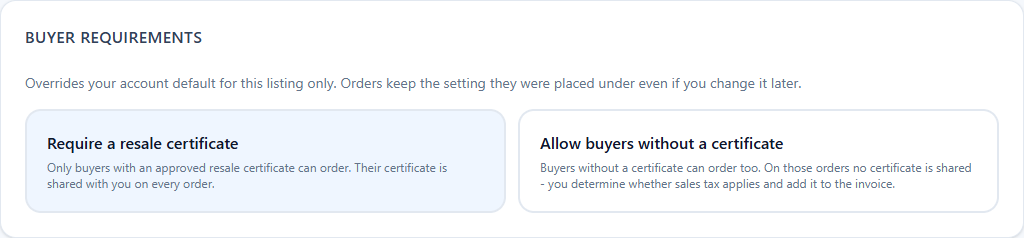
Most lots require a resale certificate: only buyers with an approved certificate can order, and it is shared with you on every order. Allow buyers without a certificate when you're happy to sell to anyone; on those orders you decide whether sales tax applies and add it to the invoice. Your seller settings set the default, and this choice applies to this listing only.
Sales restrictions (optional) tell the buyer where the inventory may be resold: export only, no Amazon or Walmart, a list of countries, channels or sites to exclude, no online sales, hide the brand name, or another condition in your own words. Leave every box clear for no restrictions. They print on the listing page before the buyer orders, your seller settings hold the default for new lots, and a choice that needs a list or a description can't be published without it.
8. Publish
Click Save draft to come back later, Preview to see the listing as buyers will, or Publish listing when it's ready.
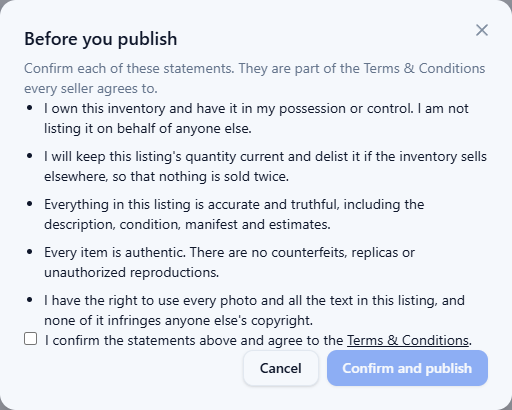
Before a lot goes live you confirm five statements: you own the inventory, you'll keep the quantity current so nothing sells twice, the listing is accurate, every item is authentic, and you hold the rights to the photos and text. They are part of the Terms & Conditions every seller agrees to.
The listing is live the moment you confirm. You can edit a live listing later through the same editor (or Quick edit on your listings page): you confirm the statements again, open offers close when the terms change, and orders already placed keep the terms they were placed under.
After it's live
Orders, offers and buyer questions all arrive in the seller area, with an email and a notification for each. When a buyer orders, their resale certificate comes with the order, you send the invoice, they pay you directly, and you ship or hand the lot over. The whole flow is on Sell on ZipToSale.